 MergenHub
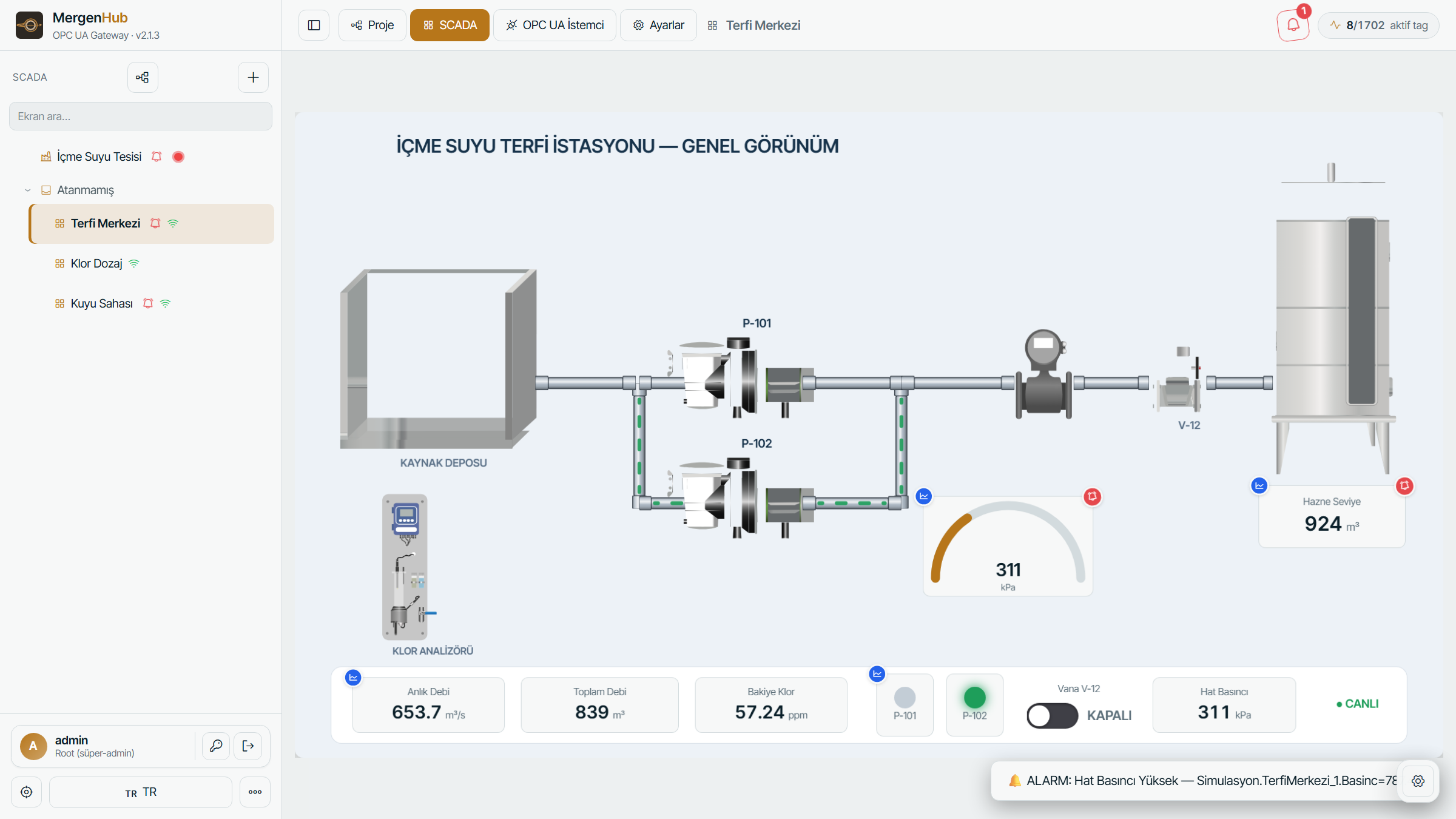
The SCADA/HMI module is a browser-based screen editor and runtime. Screens are stored on the server (scada.json), edited in the browser and viewed by operators on any device — no client installation.
Editor basics
- Screens and zones — screens are organised in a zone tree (plant › area › unit); zones also drive navigation and access control.
- Widgets — tanks, pumps, valves, motors, gauges, trends, live charts, tables, buttons, text, inputs, images, maps (Web Mercator with GPS-positioned objects), pipes and polyline pipes, symbol library objects (built-in industrial library, WinCC-style dynamic symbols, imported SVG).
- Bindings — every property (fill level, colour, visibility, rotation, text, position) can be bound to a tag or an expression.
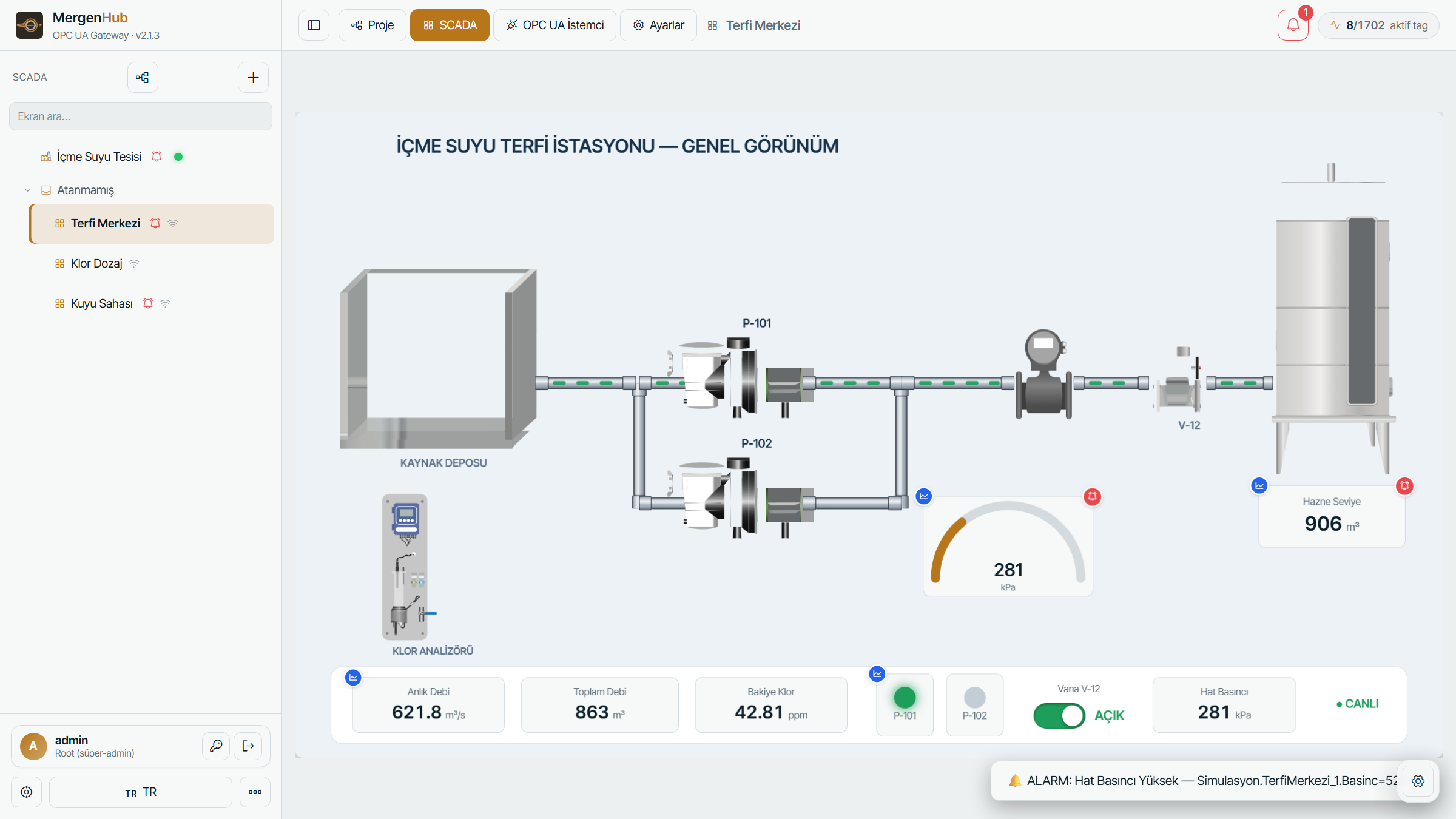
- Animations — rules per object: colour on condition, blink, hide/show, rotate, move, flow (animated stripes along pipes and inside symbol shapes, with direction and speed), scale.
- Groups and isolation — group objects, double-click to edit inside a group (Illustrator-style), align/distribute, undo/redo, copy/paste between screens.
- Sub-screens and faceplates — click actions open another screen, a popup faceplate bound to a device, a trend, or write a value (with confirmation).
- Templates — ready-made water/energy screens (well field, pumping station, reservoir, chlorine dosing…) that generate channel, device, tags and a working screen from an IP address.
Runtime (operator view)
Press Run or open the screen from the operator menu. Values update live, alarm badges show on bound objects, inputs and buttons write to tags according to the user's permissions, and the view works on tablets and phones with touch pan/zoom.
Symbol libraries
- Built-in library: pumps, valves, tanks, motors, pipes, electrical single-line elements, sensors, containers, 3D-style objects.
- Import SVG — bring your own drawings; ids are namespaced automatically so several instances never conflict.
- My objects — save any group as a reusable object; the library is server-side and per account.
- WinCC
.svghmidynamic symbols can be imported with their bindings.
Permissions
Zones and screens honour the resource ACL: operators see only the screens of zones they may read, and writes need write permission on the tag. Editing screens requires the SCADA edit permission.
Export / import
SCADA › Export project writes screens, zones and the user library as one JSON file; Import restores it on another server (bindings keep their tag paths).
Tips
- Use the flow animation on pipe widgets with
Flow animationenabled and bind it to a pump-run tag. - Keep screen backgrounds light for control rooms; use the theme switch for dark rooms.
- Bind
_System._NoErrorto a status lamp per device to make communication loss visible on the screen.