 MergenHub
MergenHub has one user model for the web UI, the REST API, OPC UA and the Data Bridge: users belong to groups, groups and users have roles/permissions, and a resource ACL decides which channels, devices and zones each of them may see or write.
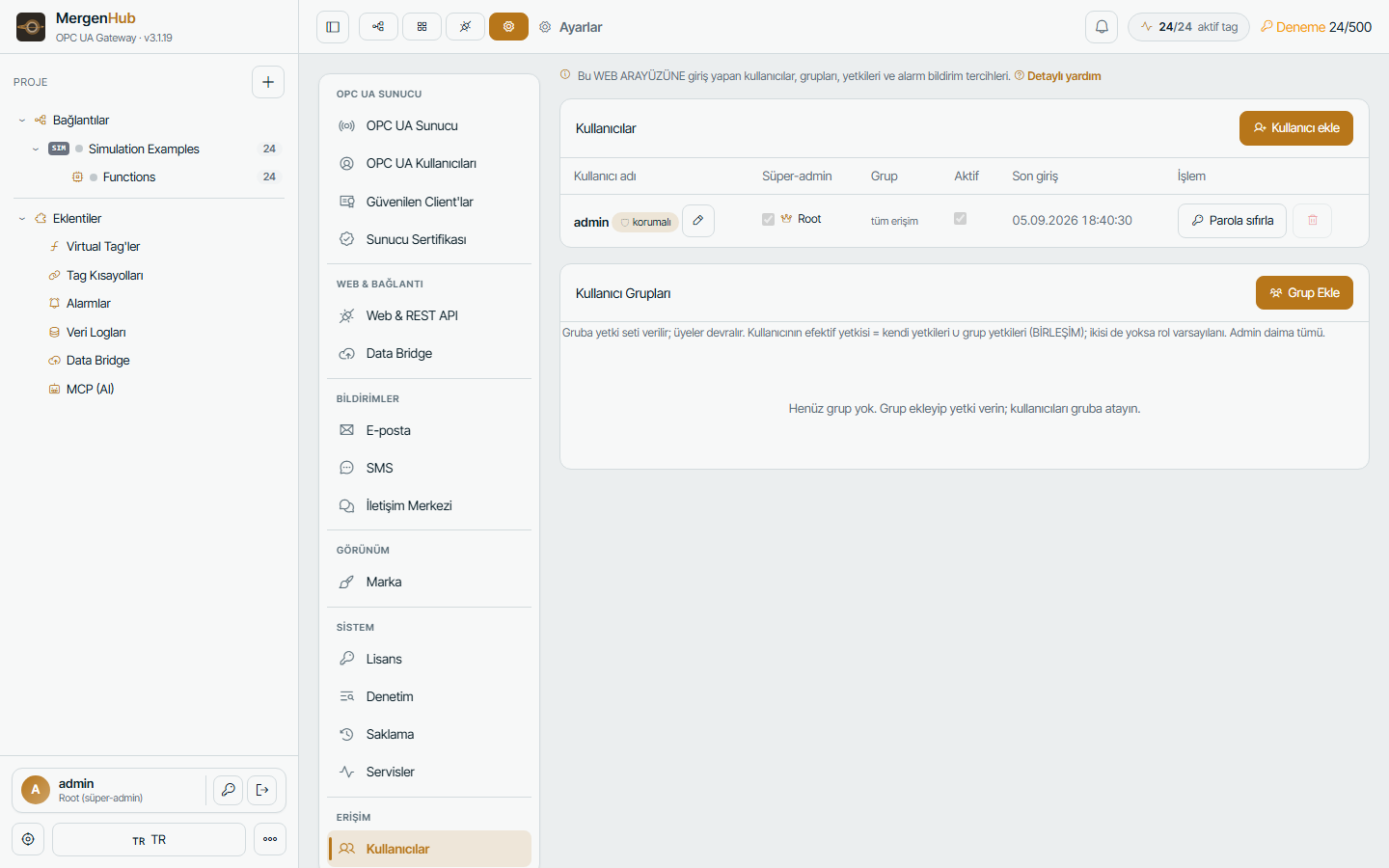
Roles and permissions
| Capability | Typical role |
|---|---|
| Configuration read | everyone who opens the project |
| Configuration write (channels, devices, tags, alarms, logging) | engineer |
| Tag write (setpoints, commands) | operator |
| SCADA edit | engineer |
| Users, settings, licence | administrator |
| Root (super-admin) | the built-in admin; always has everything |
Permissions are evaluated live on every request — changing a user's rights takes effect immediately, without re-login.
Resource ACL
Settings › Users › Access assigns channels/devices/zones to users or groups with read or read+write. It is deny by default for non-root users: a new user sees nothing until something is granted. Ownership is recorded on created objects so the creator keeps access. The ACL applies to the UI, REST, OPC UA (address space is filtered), Data Bridge and MCP.
Passwords and sessions
- Password policy and forced change at first login (
admin/admindefault). - Login rate limiting (429 after repeated failures), audit of successful and failed logins.
- Session policy in Settings › Web & REST API: idle timeout, single vs multiple sessions per user, secure cookies (HTTPS).
- Forgot password: 6-digit code by e-mail or SMS when the user has a contact configured; administrators can reset from the CLI:
"C:\Program Files\MergenHub\MergenHub.exe" reset-admin "<new-password>" keepHTTPS
See Publishing on a domain for certificates and reverse proxies. With HTTPS enabled, HTTP is redirected and cookies are marked secure.
OPC UA security
Endpoints with Sign & Encrypt, anonymous off, trusted-client list, per-user access — see OPC UA server.
API tokens
Settings › API tokens issues bearer tokens for integrations; each token inherits the user's permissions and can be revoked. Tokens are shown once.
Audit
Every write, login and configuration change is recorded with user, IP and time (Settings › Audit), kept 90 days by default. See Logs.
Hardening checklist
- [ ] Change the
adminpassword; create named accounts for people, no shared logins - [ ] Give operators tag-write only where needed; engineers no user management
- [ ] HTTPS on; HTTP redirect; strong session policy
- [ ] OPC UA: anonymous off, Sign & Encrypt, trusted clients only
- [ ] Firewall: only required ports, restricted source networks (Firewall)
- [ ] Review the audit log periodically; keep backups (Backup)