 MergenHub
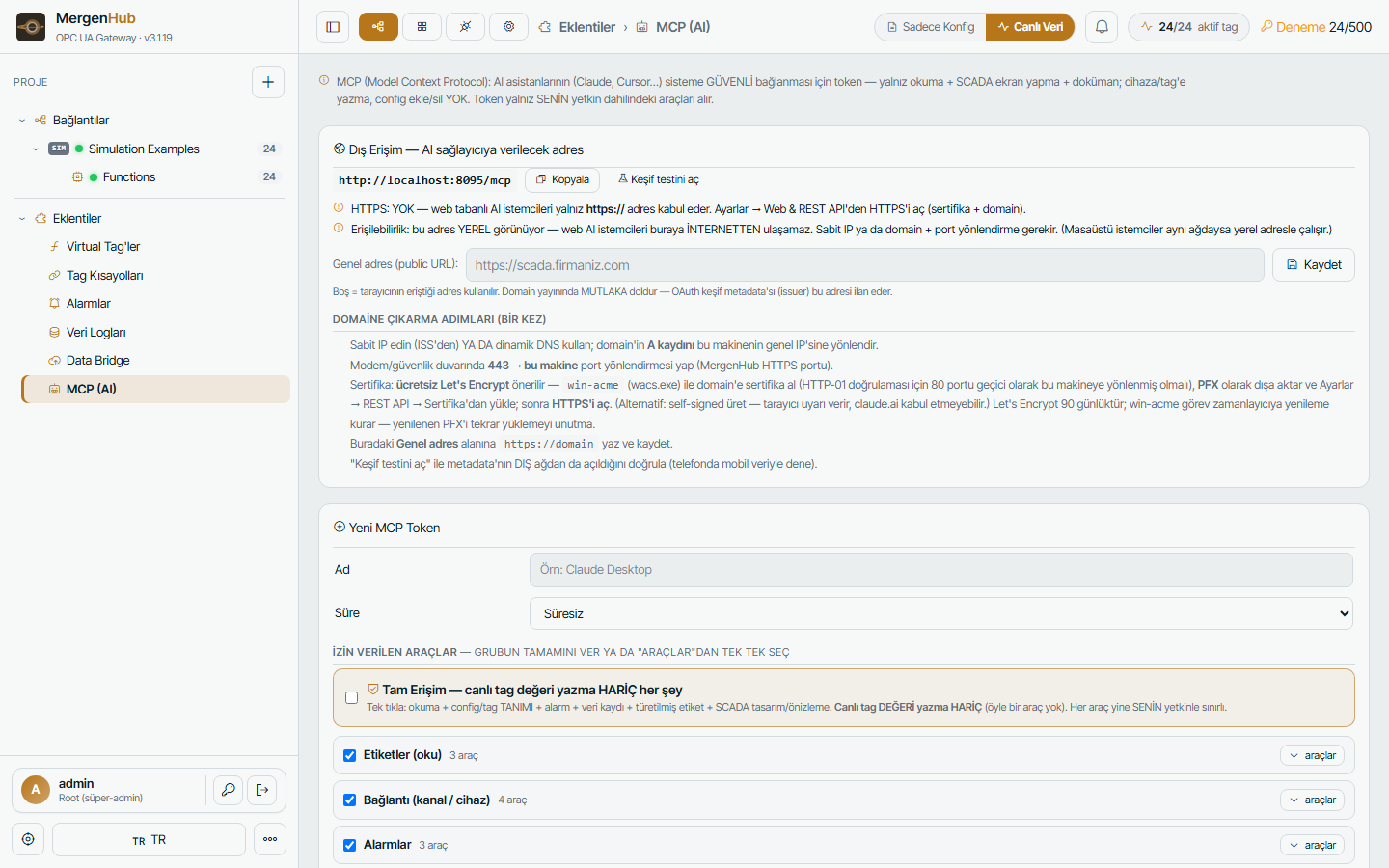
MergenHub includes an MCP server (Model Context Protocol) so AI assistants — Claude, ChatGPT-compatible agents, internal copilots — can query and configure the plant in natural language with the same permissions as the user who authorised them.
What the assistant can do
- Read: list channels/devices/tags, search tags, read live values and quality, device status and diagnostics, active and historical alarms, historian queries and charts, metrics and events, project overview.
- Configure: create/edit/delete channels, devices, tags, tag groups, virtual tags (with expression validation), aliases, alarms, log groups, Data Bridge agents; import/export projects.
- SCADA: create screens, add widgets from the real symbol library, draw pipes, set animations, render previews.
- Documentation: read the built-in manual (
list_docs/read_doc).
What it can never do: write a live value to a device (no setpoint/command tool exists) — that stays with humans in the UI.
To talk to the assistant from INSIDE the application, see the in-app AI assistant (ChatGPT, Claude, OpenRouter, Ollama…) — same tools, same authorization.
Connecting
- Extensions › MCP (AI) › enable the server. Endpoint:
https://<host>:<port>/mcp(JSON-RPC over HTTP). - Authentication: OAuth 2.0 with PKCE and dynamic client registration (for assistants that support it) or a bearer token issued in the same page.
- Two-tier authorisation: the token's scope × the user's permissions/ACL. A read-only token cannot configure even if the user could.
- Every tool call is written to the audit log with the user and token name.
Claude Desktop / Claude Code example (mcp.json):
{ "mcpServers": { "mergenhub": { "url": "https://scada.example.com/mcp", "headers": { "Authorization": "Bearer <token>" } } } }Typical prompts
- "Which devices lost communication in the last hour?"
- "Create a Modbus TCP device at 10.0.0.9 with holding registers 40001–40020 as floats named Flow1…Flow10."
- "Add a high alarm on Plant.PLC1.Pressure above 6 bar with a 0.2 deadband and e-mail the operators group."
- "Plot Tank1.Level for the last 24 hours and tell me the minimum."
- "Build a screen with two tanks and a pump connected by pipes, animate flow when the pump runs."
Security notes
- Enable the MCP server only when needed; issue tokens per assistant and revoke them from the same page.
- Put the server behind HTTPS; the endpoint is rate-limited and audited.
- The assistant sees only what the token's user may see (resource ACL).