 MergenHub
 Web SCADA / HMI — operator screens in the browser
Install-free, fully web-based SCADA. Draw plant screens with drag-and-drop in the browser; the operator view also works on phones and tablets.
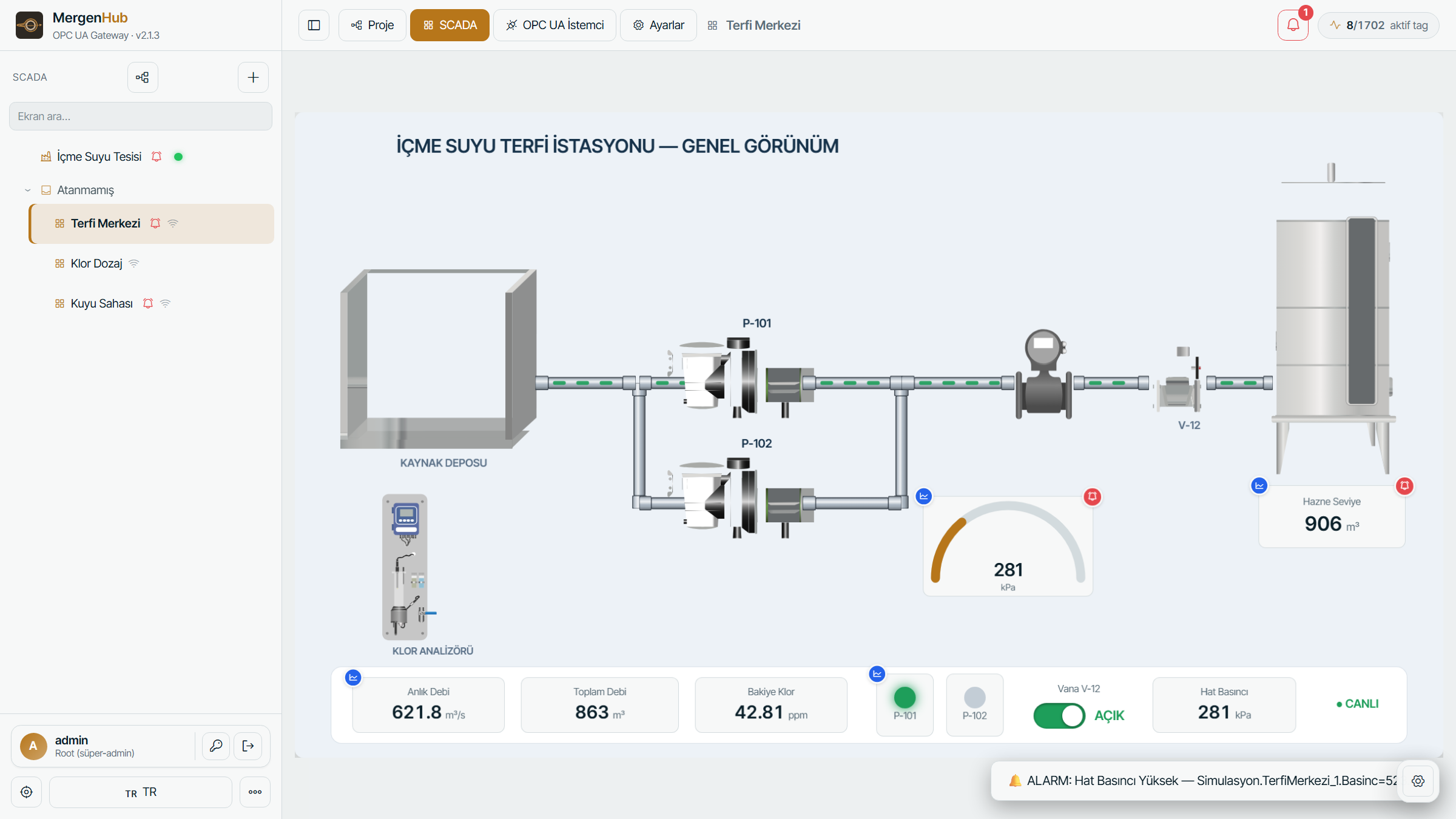
The MergenHub interface — the module's live view, running in the browser.
What it does
The Web SCADA module lets you design and run your plant's visual operator screens in the browser. There are no client installs; screens are stored on the server and bound to the account. With the drag-and-drop editor you place symbols, bind them to tags and make them dynamic.
Key features
A rich symbol library (pumps, tanks, valves, pipes), flow animations, level/color/text dynamics, sub-screens and faceplates. The operator view works on mobile with touch pan/zoom.
Core capabilities
Drag-and-drop
Visual screen design with a canvas, alignment, undo/redo and a property panel in the browser.
Symbol palette
Pumps, tanks, valves, pipes and hundreds of industrial symbols; an account-bound user library.
Animation & binding
Tag-driven dynamics such as level, color state, text value and flow animation.
Sub-screens & faceplates
Layered navigation with nested groups, sub-screens and popup faceplates.
Operator view
Run-only operator view on phone/tablet; touch pan and pinch-zoom.
Map & dashboard
Map widget (station pins), write-and-confirm setpoints and project export/import.