 MergenHub
SCADA and OPC UA server software
MergenHub is software you install on Windows: it connects to your existing PLCs, RTUs and meters over 11 industrial protocols, then monitors, logs, alarms and reports. Every field device in one address space: an OPC UA server, a REST API and web-based SCADA.
No extra runtime on the target machine
Turkish, English and Arabic UI
Free demo: all features, unlimited tags — runtime runs 2 hours per start, restart for another 2 hours
| Tag | Address | Value | Quality |
|---|
SCADA software that connects to the devices you already have
What does it do?
It connects to your PLCs, RTUs and meters, shows live values on operator screens, logs them, raises alarms and produces reports. Other systems read the same data over OPC UA and REST.
Where does it run?
On a computer running Windows 10 / 11 or Windows Server 2016 and later, installed as a Windows service. The interface opens in a browser; there is a mobile app for phones.
What does it connect to?
To the devices you already have: Modbus TCP / RTU, Siemens S7, OMRON FINS and NJ/NX, DNP3, IEC 60870-5-104, IEC 61850 MMS, MQTT and OPC UA. The Device Library holds ready-made connection templates for common devices.
From data acquisition to the operator screen, in one package
Instead of a separately licensed server + SCADA + historian + gateway chain, everything ships in a single installation.
Protocol drivers
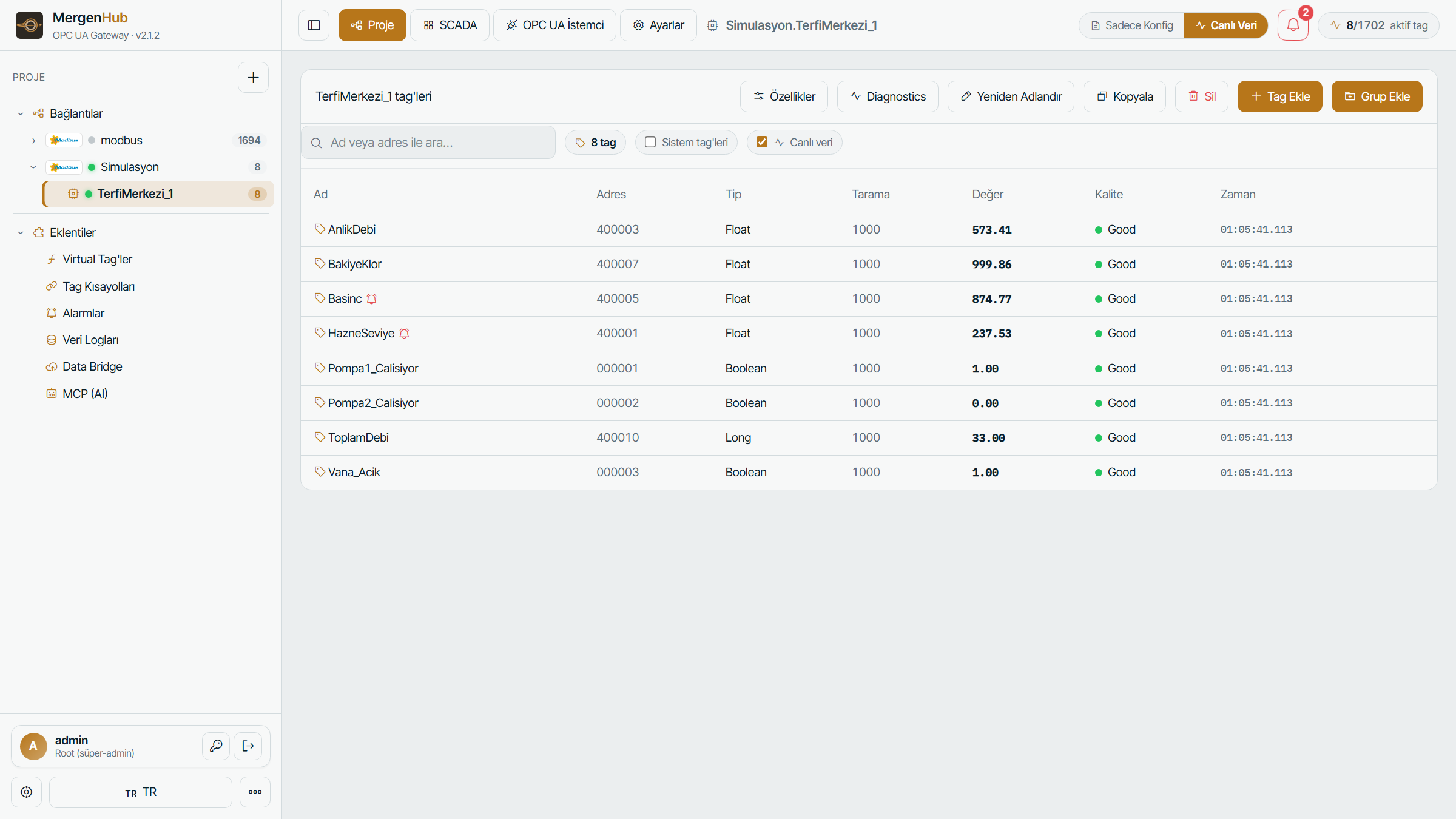
Modbus, Siemens S7, OMRON, DNP3, IEC 104, IEC 61850, MQTT and more. Automatic tag discovery and address-format helpers.
OPC UA server
All sources in one address space. Security policies, multiple endpoints, per-user access and proven scale at hundreds of thousands of tags.
Web SCADA / HMI
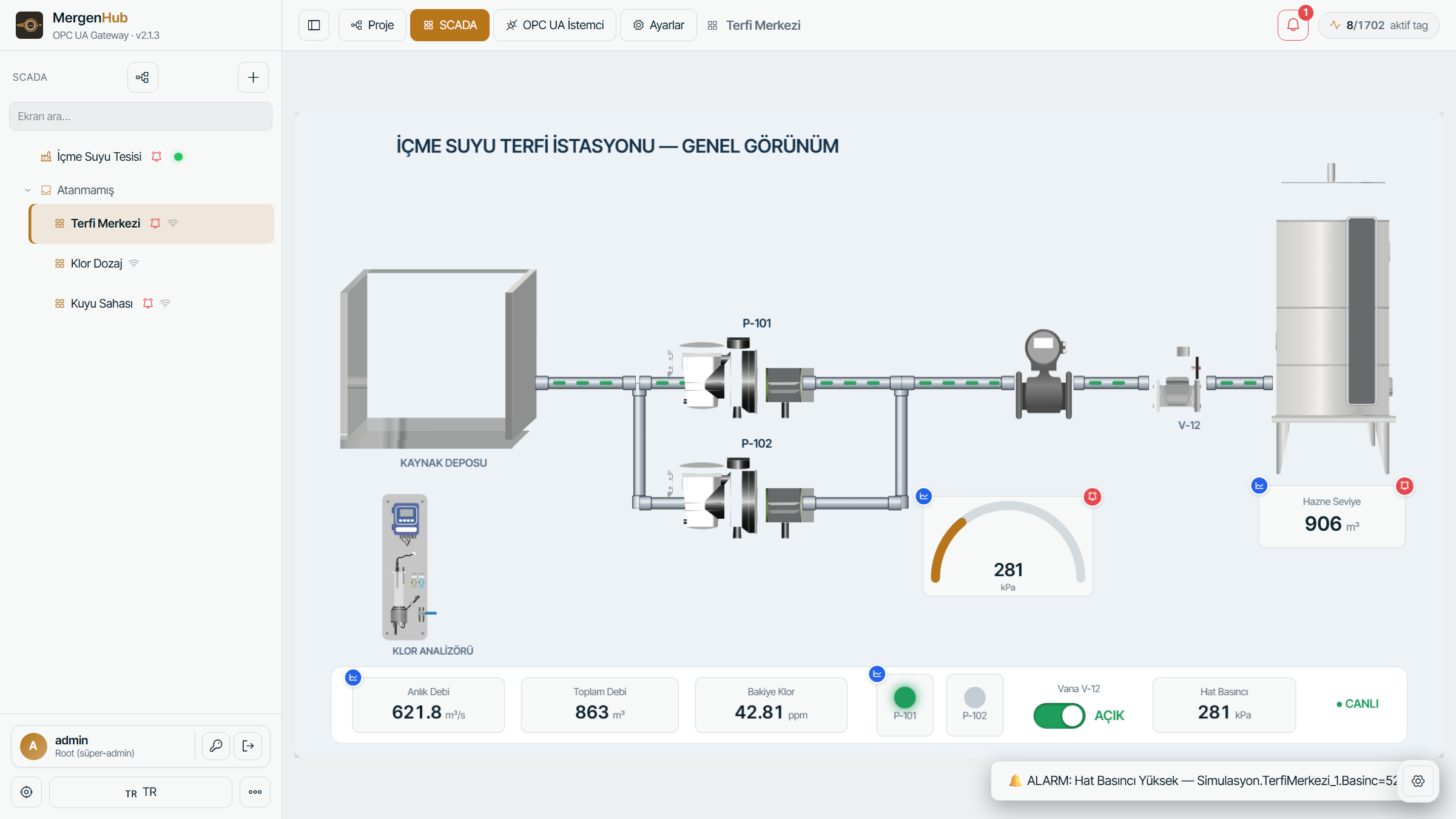
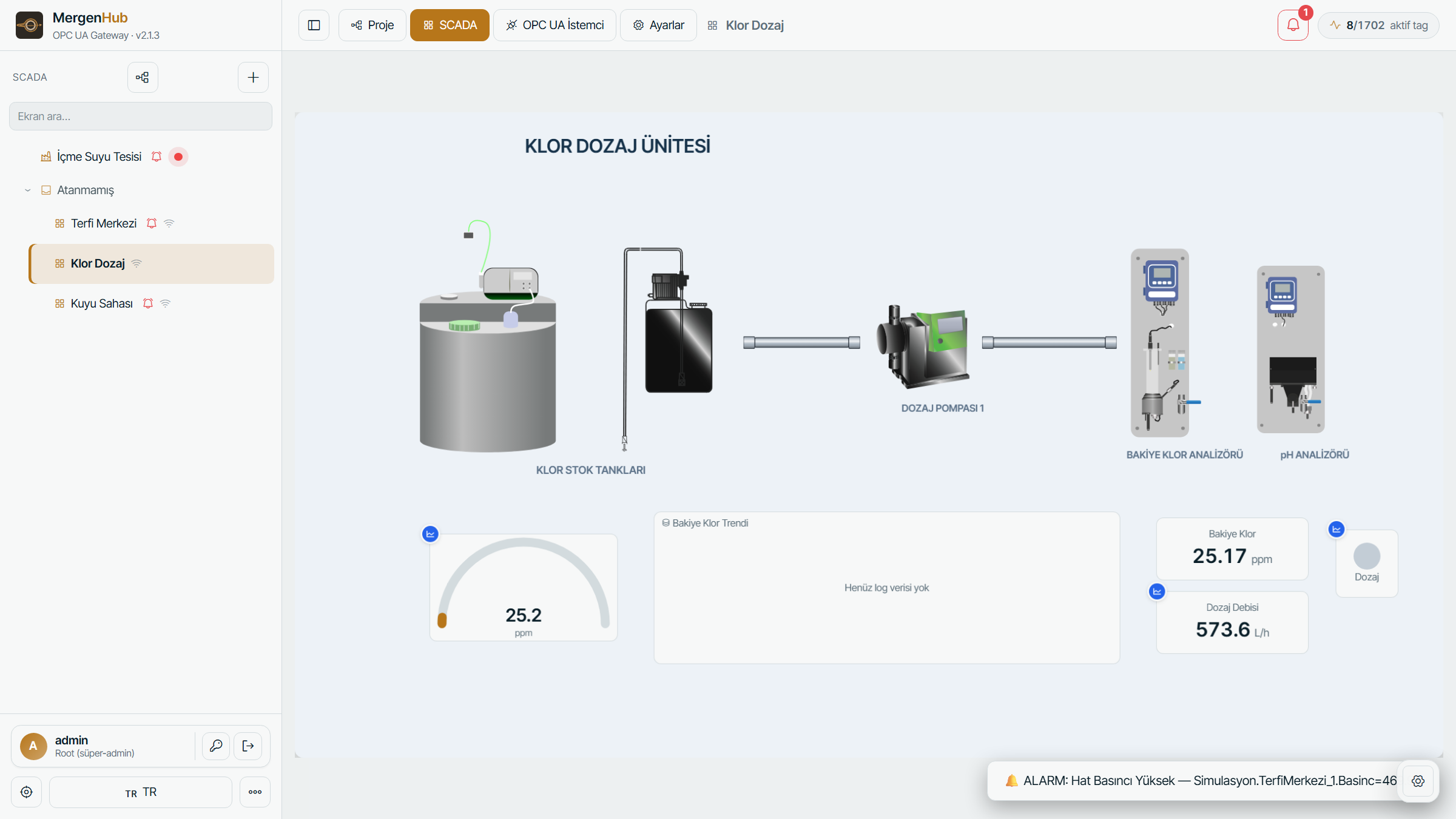
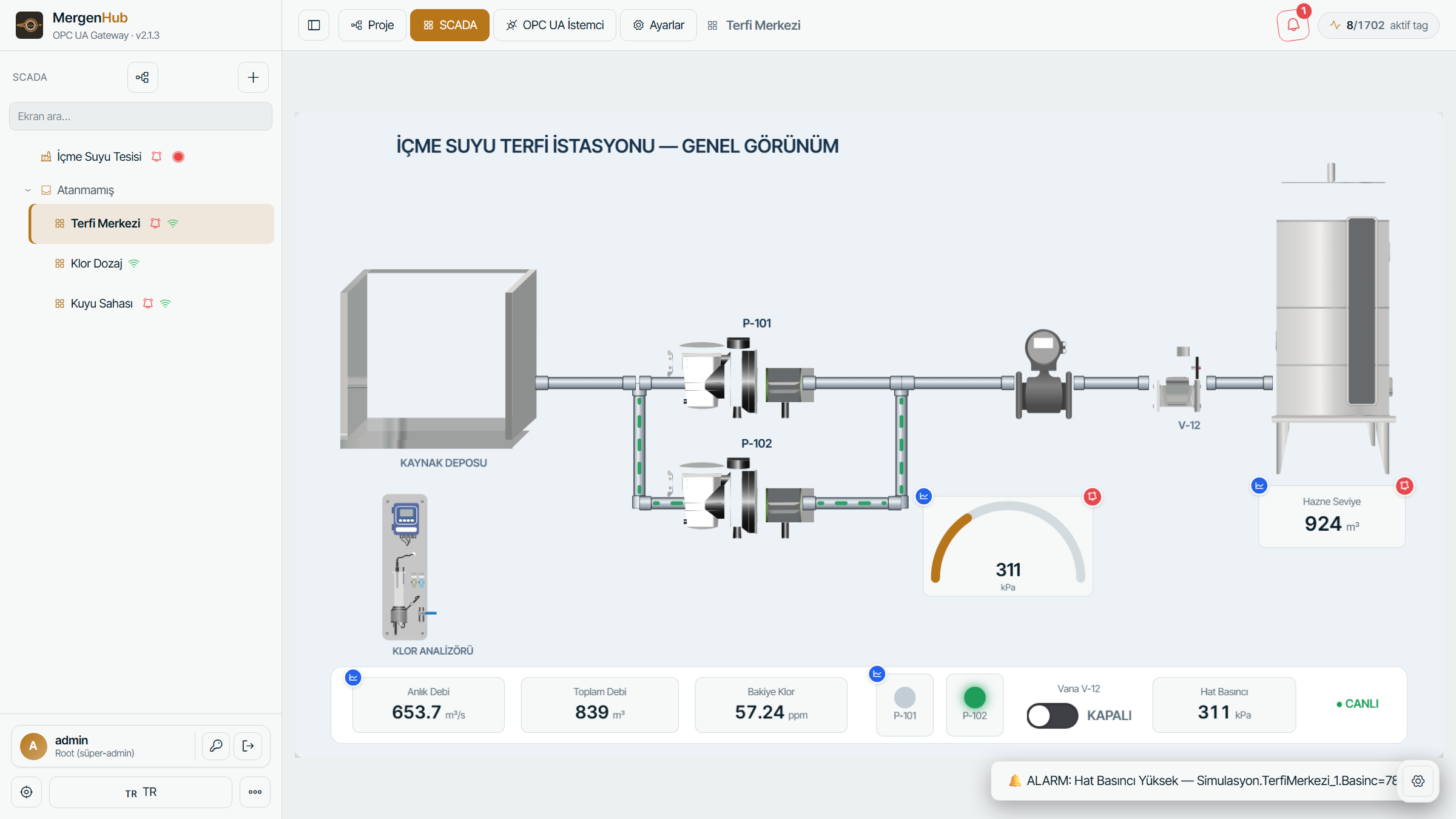
Drag-and-drop editor in the browser: symbol library, pipes, animations, sub-screens. Mobile-friendly operator view.
Alarms & notifications
Standards-based alarm lifecycle, deadband, history; e-mail and SMS with per-user preferences.
Data logging
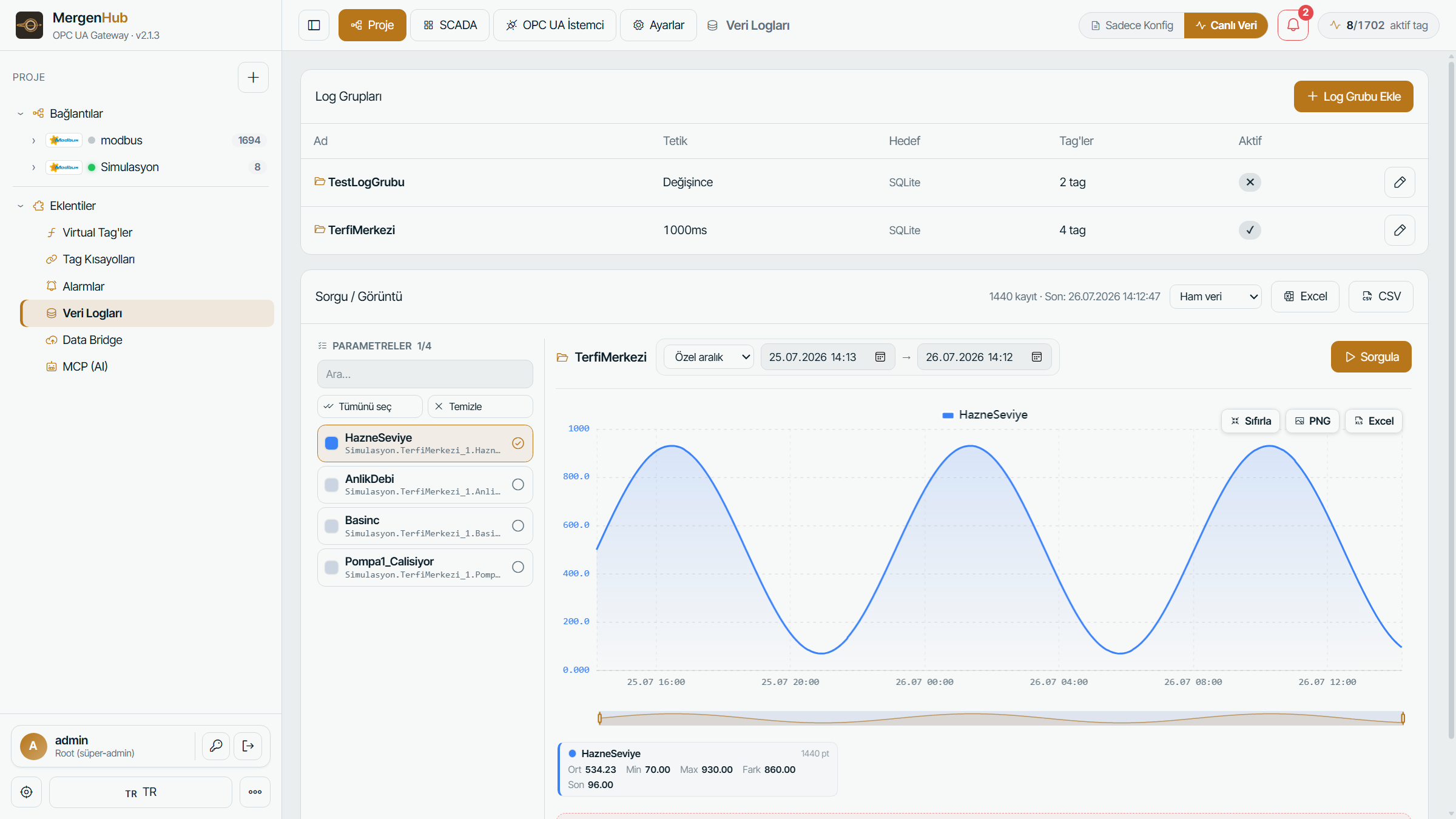
SQLite or enterprise database (ODBC), store-and-forward, trend charts, CSV/Excel/PNG export.
IoT bridge
REST server/client and MQTT client agents push data to the cloud or third-party systems.
Virtual tags
Formula engine: average, min/max, cumulative difference, totalizer, conditional logic and function library.
Enterprise authorisation
Users/groups, resource-level access control, HTTPS, audit log and session security.
AI assistant
With the MCP server, AI assistants query the plant in natural language: status, alarms, trends, diagnostics.
Whatever is in the field, it connects
Migrate existing projects in minutes with JSON project import.
Modbus TCP + Serial
FC05/06/22 writes, zero-based addressing, RTU/ASCII, UDP and Modicon bit order.
Details →SiemensSiemens S7
S7-300/400/1200/1500; DB, marker, I/Q areas and optimised access.
Details →OMRONOMRON NJ/NX + FINS
Classic FINS/TCP and NJ/NX EtherNet/IP CIP symbolic access in one driver.
Details →DNP3DNP3
SBO/Direct Operate, Secure Auth, Data Sets, File Control, redundancy, time sync.
Details →IEC 104IEC 60870-5-104
General Interrogation, single/double commands, setpoints and time sync.
Details →IEC 61850IEC 61850 MMS
SCL/ICD import, control model (SBO/direct) and LN-level reads.
Details →MQTTMQTT
Channel-level broker sharing, smart JSON discovery and arrival-watchdog liveness.
Details →Built-in modules in one installation
Server, SCADA, historian and gateway — all inside MergenHub instead of a chain of separately licensed products.
OPC UA Server
All sources in one address space; multiple endpoints, security policies, 450K+ tag scale.
Details →InterfaceWeb SCADA / HMI
Drag-and-drop editor in the browser, symbol library, animation and mobile operator view.
Details →ISA-18.2Alarms and Events
Standard alarm lifecycle, deadband, history; e-mail and SMS notifications.
Details →HistorianData Logger
SQLite/ODBC logging, store-and-forward, trend charts, CSV/Excel/PNG export.
Details →GatewayData Bridge
Bridge data to the cloud with REST server/client and MQTT client agents.
Details →CalculationVirtual Tags
Formula engine: average, totalizer, cumulative difference, conditional logic and derivative.
Details →AIMCP Server
AI assistants query the plant in natural language; two-tier authorisation, read-only.
Details →AutomationAutomation Workflows
Drag-and-drop workflows: schedule, tag, alarm and webhook triggers; conditions, calculations and AND/OR; write-tag, email, SMS and HTTP actions — live on devices.
Details →AIAI Assistant
Talk to ChatGPT, Claude, OpenRouter or a local LLM inside the app; diagnostics, configuration and SCADA design with your own permissions.
Details →MobileMergenHub Mobil
iOS and Android app: connect to the server or run the drivers on the phone itself; push notifications on alarms, no extra license.
Details → Add-on moduleWater Management
Water consumption monitoring from SCADA data: counters and metrics, water footprint (blue, green, grey), water efficiency tables and a water flow diagram; Excel and PDF reports. Included in every package.
Details → SecurityAuthorisation & audit
User/group permissions, resource-level access, HTTPS, audit log.
Features →Water footprint and water efficiency, from SCADA data
The flow meters and counters your SCADA already reads become period consumption, water footprint, water efficiency tables and a water flow diagram. The module runs on the same MergenHub server and is included in every package; no extra license or fee.
- Counters and MetricsPeriod consumption from any tag: hour, day, week, month and year; indicators such as m³ per ton and kWh/m³.
- Water FootprintBlue, green and grey water per month and year, and per unit of product.
- Water EfficiencyWater sources, uses and wastewater tables with specific consumption, recovery and non-conventional source ratios.
- Water Flow DiagramThe site’s water map from source to discharge, with a balance check at every place.
Example diagram. In the product, band thickness follows the measured amount for the selected period.
The plant in your pocket
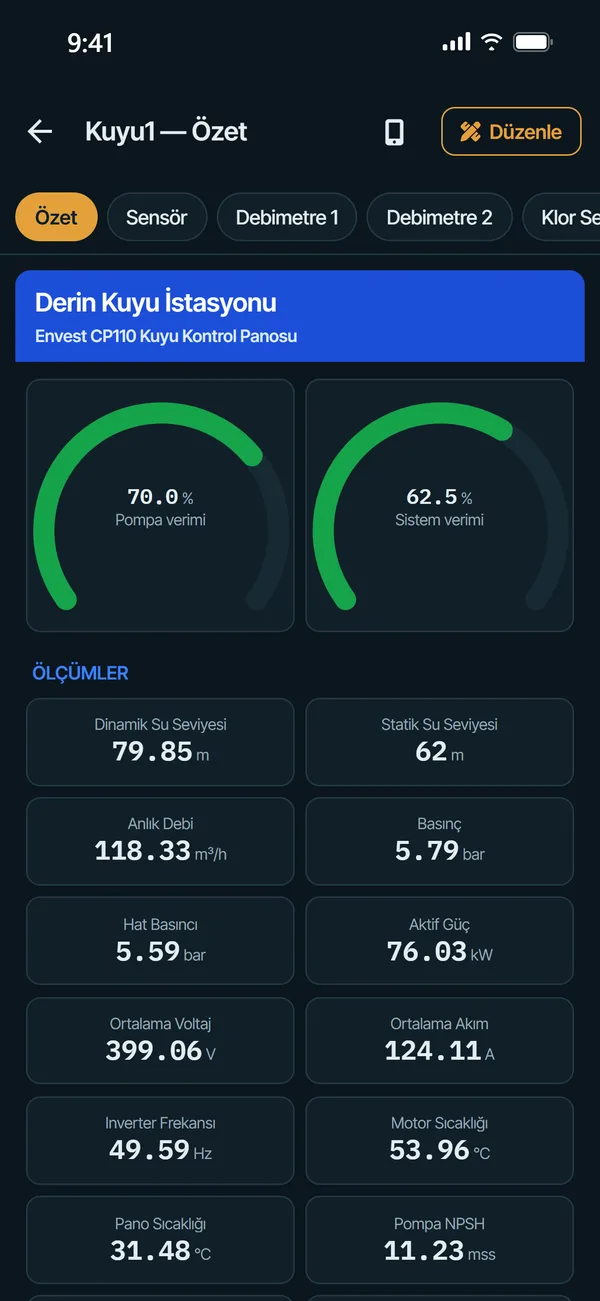
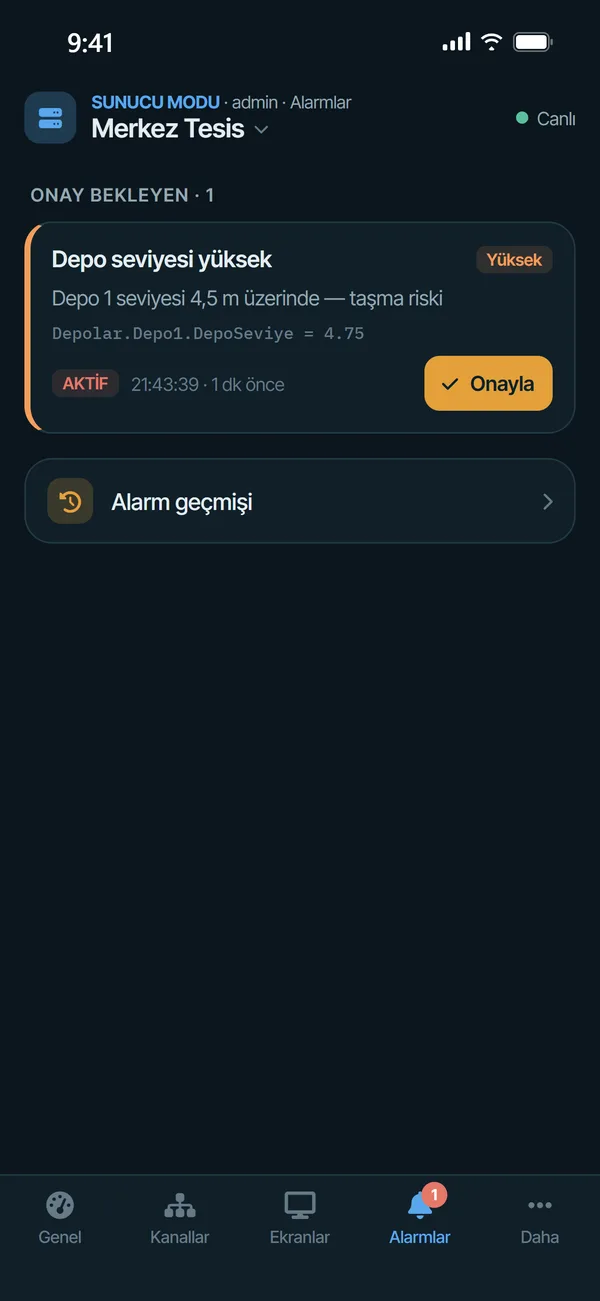
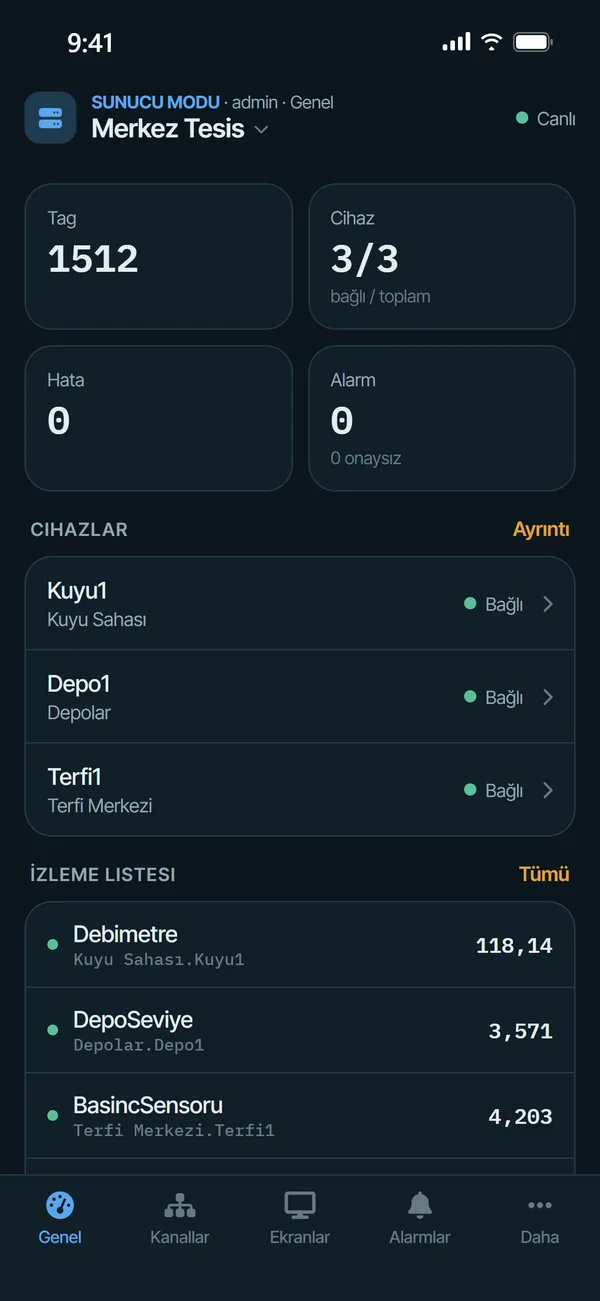
The same MergenHub on your phone: live values, alarm notifications and operator screens. Where there is no server on site, the drivers run on the phone itself.
- Alarms reach your pocketWhen an alarm is raised you get a push notification; open it and acknowledge with one tap.
- Monitor and act remotelyLive values, writing to tags and SCADA screens; permissions are the same as your web user.
- Ready devices from the libraryPick a device from the Envest library, enter its IP: tags, efficiency calculations and screens are installed in one go.
- No laptop needed on siteCommission Modbus, Siemens S7, OMRON and other devices from the phone, then send the project to the server.
- Control stays on the computerMobile access, notifications and device sessions are switched on and off in the web interface; a lost phone's session closes with one click.

One platform in the middle
Field protocols on the left, consumers on the right; MergenHub is the single secure hub between them.
- Scan engine · channel isolation
- Virtual tags · alarms · historian
- Authorisation · audit · HTTPS
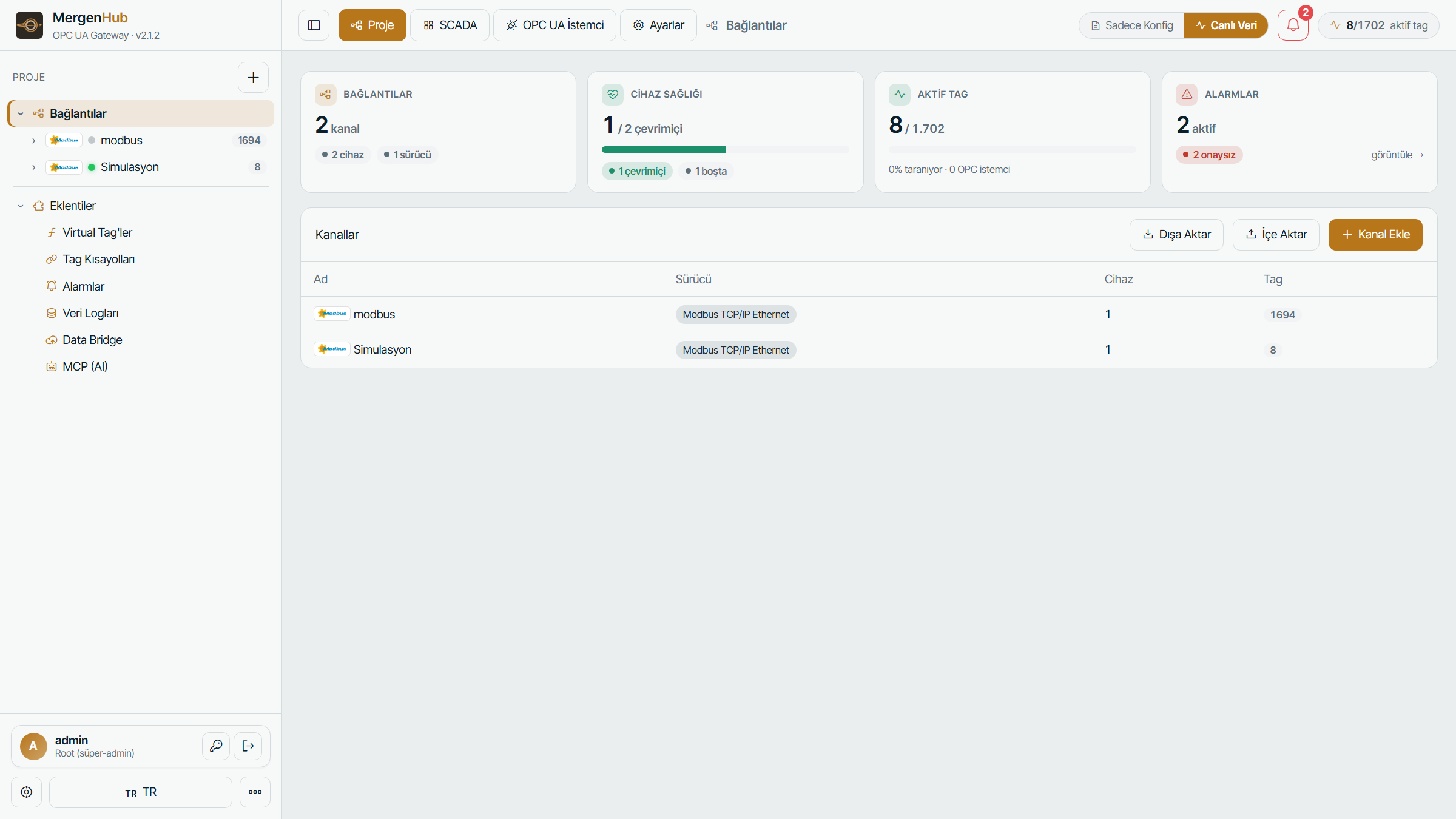
Inside the product
Real MergenHub screens — click to enlarge.



Field-proven engineering
MergenHub is built on the engineering experience of Envest, a maker of smart metering devices and software for water and energy infrastructure.
Developed in Türkiye
Entirely developed at our R&D centre in Erciyes Technopark. A product whose makers you can reach directly.
Field experience
We are the developers of the Koru1000 water management platform; real deployments in drinking-water and distribution systems.
Enterprise support
Installation, commissioning, training and project consultancy; documentation in Turkish and on-site support options.
Every feature in every package
Packages differ only by the number of tags. Perpetual or annual subscription; the first year of Maintenance & Support is included, and every upgrade is free while maintenance is active. Unlicensed installations run in trial mode.
- Online activation with a key, or offline (request file → document)
- Release and move the license to another machine yourself
- Dealer discounts and open account for approved partners
- 2-day refund guarantee
SYSTEM Windows 10/11 · Server 2016+ · 64-bit
SIZE 379.4 MB
FIRST LOGIN admin / admin — changed on first login
Try it in the browser without installing
Let's talk
Write to us for a quote, project consultancy or feedback.
[email protected]
+90 352 224 01 80
Altınoluk Mah. Fatih Sultan Mehmet Bulvarı No:72/2, Melikgazi / Kayseri
AR-GE: Erciyes Teknopark, Tekno-1 Binası No:61/24, Melikgazi / Kayseri